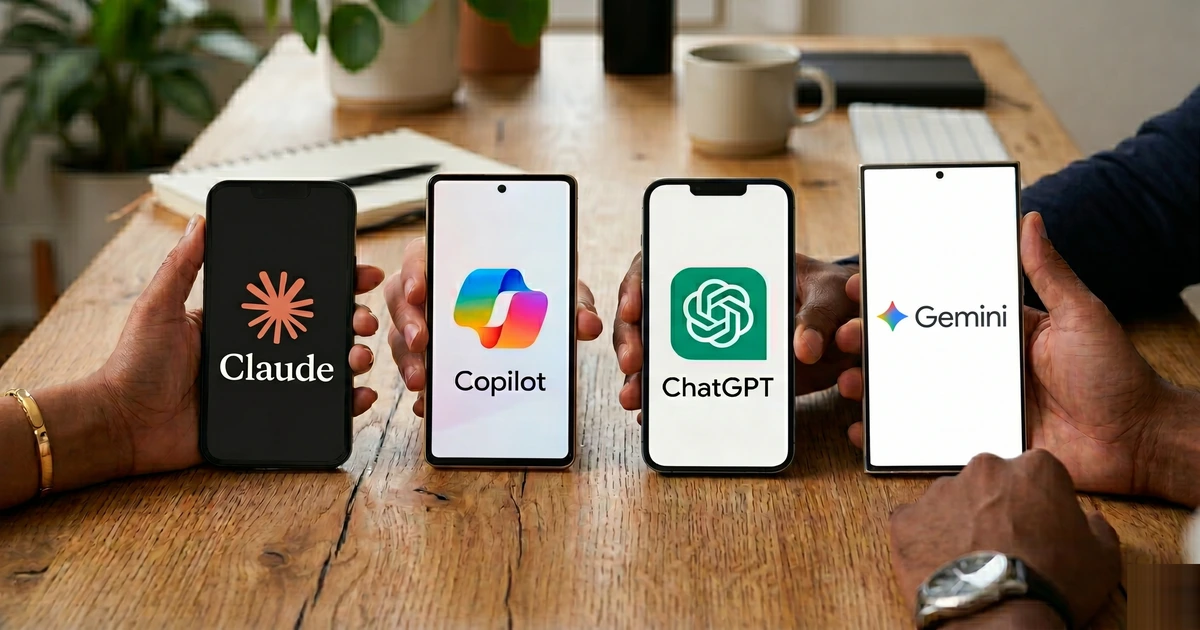
By now, you’ve heard the names. Anthropic Claude. OpenAI ChatGPT. Google Gemini. Microsoft Copilot. Every vendor claims theirs is the smartest, the safest, the most productive. But for a business owner or office manager trying to get real work done — not a tech demo — the question isn’t which one scores highest on a benchmark. The question is: which one fits how you work?
I’ve used all four extensively across client environments. Here’s my unfiltered take on where each one shines, where it lets you down, and who it’s actually built for.
The Big Picture: Four Tools, Four Philosophies
Before diving into the specifics, it helps to understand that these aren’t four versions of the same thing. Each platform was built with a different user in mind and reflects a very different corporate philosophy:
- ChatGPT (OpenAI) — Built to be a versatile all-rounder, widely adopted, and constantly evolving with cutting-edge features.
- Claude (Anthropic) — Built with an emphasis on safety, careful reasoning, and high-quality long-form output. Think of it as the most methodical and measured of the group.
- Gemini (Google) — Built to live inside Google’s ecosystem. If your business runs on Gmail, Google Drive, and Google Meet, Gemini is engineered to be your native AI layer.
- Copilot (Microsoft) — Built to embed directly into Microsoft 365. If your team lives in Outlook, Word, Excel, and Teams, Copilot is designed to meet them there without any friction.
None of them is universally “best.” What matters is which one maps to your existing workflows, your data environment, and your security requirements.
Anthropic Claude — The Careful Thinker
Claude is my personal daily driver, and for good reason. When it comes to handling complex, nuanced tasks — drafting detailed proposals, reviewing long contracts, analyzing multi-page documents, or writing clean technical documentation — Claude produces output that feels genuinely considered rather than just statistically probable.
Its context window (how much text it can read and remember in one session) is among the largest available, which matters enormously when you’re working with lengthy service agreements, compliance documents, or large email threads. For law firms and professional services businesses especially, this is a real differentiator.
Where Claude shines in business: Long-document analysis, contract review, policy writing, detailed client communications, software development, and any task where precision and tone matter more than speed.
Where Claude falls short: It doesn’t integrate natively into your productivity suite the way Copilot or Gemini do. You’re working in a separate browser tab or app, which adds a step. It also has a smaller public footprint — less third-party integration out of the box.
Best for: Professional services firms, legal teams, consultants, and developers who prioritize output quality and data privacy above all else.
OpenAI ChatGPT — The Versatile All-Rounder
ChatGPT remains the most widely recognized AI platform in the world, and there’s a reason for that: it’s genuinely capable across an enormous range of tasks. It handles everything from brainstorming to data analysis to image generation to building simple automation agents.
For businesses that want one tool that does a little of everything, ChatGPT is the safest bet. Its plugin and integration ecosystem is the broadest of any platform, and on the paid business plan, it can connect to your Microsoft or Google environment — though that integration isn’t as seamless as native Copilot or Gemini connections.
Where ChatGPT shines in business: Marketing copy, brainstorming, customer-facing content, broad research tasks, image creation, and building simple automated workflows. It’s also the most capable out of the box for multilingual work.
Where ChatGPT falls short: It’s a generalist, which means it doesn’t have the depth of Claude for complex analytical writing, the native integration of Copilot for Microsoft users, or the real-time data capabilities of Gemini within Google Workspace. On the free tier, data privacy controls are limited — a concern for any business handling sensitive client information.
Best for: Businesses that want a general-purpose AI tool and aren’t tied to a specific platform ecosystem. Also ideal for marketing teams, content creators, and anyone who wants the broadest feature set under one subscription.
Google Gemini — The Workspace Native
If your business runs on Google Workspace — Gmail, Google Drive, Google Docs, Google Meet — then Gemini is the AI that was specifically designed for you. It lives inside your existing environment rather than in a separate app, which dramatically reduces the friction of adoption.
Gemini’s multimodal capabilities (text, images, audio, video) are among the strongest of any platform, and its context window is massive — a key advantage for businesses that deal with large volumes of documents or need to analyze rich media alongside text.
Where Gemini shines in business: Google Workspace power users will find it invaluable — summarizing long email threads, drafting responses, analyzing spreadsheet data, and pulling context from Drive files automatically.
Where Gemini falls short: If you’re not in the Google ecosystem, a lot of its value disappears. It’s also less polished than Claude for long-form professional writing, and for Microsoft-centric businesses, the cross-platform integration requires extra setup.
Best for: Businesses that have built their workflows around Google Workspace and want AI that lives natively inside that environment without adding a new app to their stack.
Microsoft Copilot — The Enterprise Workhorse
For businesses already running Microsoft 365 — which describes the majority of small and mid-size professional services firms — Copilot is arguably the most immediately impactful tool on this list, precisely because it doesn’t ask you to change how you work. It shows up inside Word, Excel, PowerPoint, Outlook, and Teams, and it can reference your actual company data from SharePoint and your email history to generate relevant output.
The security story is also compelling: because Copilot operates within Microsoft’s Azure environment, your data stays inside the same security boundary as your existing Microsoft tenant. For industries handling sensitive client data — legal, financial, healthcare — that’s not a minor detail.
Where Copilot shines in business: Drafting and editing in Word, generating formulas and summarizing data in Excel, building slide decks in PowerPoint, managing email in Outlook, and summarizing Teams meeting notes. For Microsoft-heavy environments, the time savings are immediate and measurable.
Where Copilot falls short: Outside the Microsoft ecosystem, it offers much less value. It’s also a product that’s still maturing — some features require specific licensing tiers, and the experience can be inconsistent across applications.
Best for: Any organization standardized on Microsoft 365 that wants AI embedded directly into the tools their team already uses every day — without adding new apps, new logins, or new security questions.
Pricing: What Are You Actually Paying?
All four platforms land in a similar range for business tiers — roughly $20 to $30 per user per month for their standard paid plans, with enterprise pricing varying based on seat counts and features. At that price point, cost shouldn’t be the deciding factor. The question is which platform delivers the most value inside your specific environment.
One important nuance: the free tiers of all four tools exist, but using them for business-sensitive information introduces real data privacy risks. If you’re running client data, financial records, or confidential communications through a free AI tier, you’re accepting terms that may allow that data to be used for training. Always use a paid business-tier account for anything involving client information.
The Bottom Line: It’s About Your Ecosystem
Here’s the framework I give every client when this conversation comes up:
- Microsoft 365 shop? Start with Copilot. It will deliver the fastest ROI with the least disruption.
- Google Workspace shop? Gemini is your native tool. Use it.
- Need deep analysis, long documents, or high-quality writing? Claude is the right call — supplement your primary tool with it.
- Want a general-purpose tool with the widest feature set? ChatGPT is still the most versatile single subscription available.
Most power users in 2026 don’t rely on just one. The smart play is to use the AI that lives in your ecosystem for daily productivity, and layer in Claude or ChatGPT when a task demands deeper reasoning or higher-quality output.
The era of asking “should we use AI?” is over. The question now is “are we using the right AI, in the right way, with the right guardrails?” If you’re not sure where your business stands — or you want help evaluating which platform makes sense for your team — that’s exactly the kind of conversation I have with clients every week.